WhatsApp Business Integration with Odoo ERP: Features & Benefits
WhatsApp has become one of the most important communication channels between businesses and their customers. From sales inquiries and quotation requests to order confirmations and customer support, businesses increasingly rely on WhatsApp to manage everyday interactions.
However, when customer communication happens outside the company's ERP system, important information can become disconnected from business operations.
Sales representatives may use individual WhatsApp accounts, customer service teams may struggle to track conversations, and managers may have limited visibility into customer interactions.
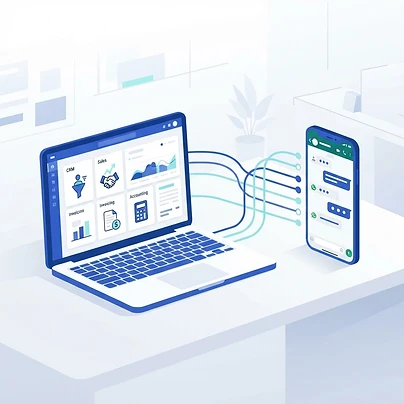
WhatsApp Business Integration with Odoo ERP addresses this challenge by connecting the WhatsApp Business Platform with Odoo, allowing businesses to send and receive messages, share business documents, manage conversations, and use predefined message templates directly within their ERP environment.
In this article, we explore why businesses should integrate WhatsApp with Odoo, its key features, practical applications, technical requirements, and the business benefits of this integration.
1. What Is WhatsApp Business Integration with Odoo?
WhatsApp Business Integration with Odoo is a solution that connects a company's WhatsApp Business Platform account to its Odoo ERP database through Meta's WhatsApp Business API.
The integration allows authorized Odoo users to communicate with customers directly from Odoo, without constantly switching between different applications.
It also connects customer communication with relevant business records and workflows.
For example:
- Sales representatives can send quotations through WhatsApp.
- Customer service teams can receive and manage customer inquiries.
- Accounting teams can share invoices and payment-related notifications.
- Marketing teams can use approved message templates to communicate with customers.
- Businesses can automate certain WhatsApp notifications based on Odoo business events.
The result is a more connected communication environment where customer interactions become part of everyday business processes.
2. Why Should Businesses Integrate WhatsApp with Odoo?
Many businesses already use WhatsApp extensively, but using it independently from their ERP system creates operational challenges.
Some of the most common problems include:
Disconnected customer communication Customer conversations take place outside the ERP system, making it difficult to connect discussions with customer records, quotations, sales orders, and support activities.
Missed sales opportunities Without organized follow-up processes, sales representatives may forget to respond to inquiries or follow up on quotations.
Manual and repetitive tasks Employees spend valuable time sending repetitive messages, sharing documents, and updating customers manually.
Limited management visibility Managers may find it difficult to monitor customer communication and ensure that inquiries are handled properly.
Dependence on individual employees When customer conversations are stored on personal or individual employee devices, the business risks losing access to important communication history when employees leave or change responsibilities.
Integrating WhatsApp with Odoo helps address these challenges by bringing communication closer to the company's operational environment.
3. Key Features of WhatsApp Business Integration with Odoo
Odoo provides several features that allow businesses to manage WhatsApp communication as part of their ERP operations.
3.1 Send and Receive WhatsApp Messages from Odoo
Users can send and receive WhatsApp messages directly through the Odoo interface.
The integration works alongside Odoo Discuss and the messaging interface, allowing employees to manage customer conversations within their normal working environment.
This reduces the need to switch between applications and helps keep customer communication connected to internal business activities.
3.2 Predefined WhatsApp Message Templates
Odoo supports predefined and customized WhatsApp message templates.
Businesses can create templates for frequently used communication scenarios, including:
- Welcome messages.
- Sales quotations.
- Order confirmations.
- Invoice notifications.
- Payment reminders.
- Appointment confirmations.
- Event notifications.
- Customer service updates.
Templates help maintain consistent communication and reduce the time required to prepare repetitive messages.
WhatsApp templates must comply with Meta's requirements and receive approval where required before they can be used.
3.3 Dynamic Message Variables
One of the most useful features is the ability to include dynamic information from Odoo records inside WhatsApp templates.
Instead of sending generic messages, businesses can personalize communications using information stored in their ERP system.
For example:
"Hello {{1}}, your quotation {{2}} from {{3}} is ready. The total amount is {{4}}."
Odoo can populate these placeholders using information such as:
- Customer name.
- Quotation reference.
- Company name.
- Invoice number.
- Invoice amount.
- Relevant document or portal link.
This makes customer communication more personalized and reduces manual data entry.
3.4 Share Business Documents and Media
Businesses can use WhatsApp to share supported business documents and media directly through Odoo.
Examples include:
- PDF sales quotations.
- Customer invoices.
- Receipts.
- Event tickets.
- Images.
- Videos.
- Other supported documents and attachments.
This makes it easier for customers to receive important business information through a communication channel they already use.
3.5 Interactive WhatsApp Messages
WhatsApp templates can include interactive buttons that encourage customers to take specific actions.
Odoo supports several button types:
Quick Reply: Allows customers to respond using predefined answers.
Visit Website: Directs customers to a website or a specific web page.
Call Number: Allows customers to contact a specified phone number.
These options simplify customer interactions and make business communication more effective.
3.6 Centralized Team Communication
WhatsApp conversations can be managed through Odoo Discuss, where relevant employees can participate in customer discussions.
Businesses can configure different WhatsApp accounts or phone numbers for different departments.
For example:
- Sales Department.
- Customer Support.
- Finance Department.
- Marketing Department.
Employees can be added to conversations, helping teams collaborate and maintain continuity in customer communication.
3.7 WhatsApp Message Delivery and Read Tracking
Odoo supports message status tracking, allowing users to identify whether messages have been delivered and read where these statuses are provided by the WhatsApp platform.
This helps employees understand the status of their customer communications and plan appropriate follow-up activities.
3.8 Automated WhatsApp Notifications
Businesses can use Odoo automated actions to trigger WhatsApp messages based on specific business events.
For example:
- Send an order confirmation after a sales order is confirmed.
- Notify customers when an invoice is created.
- Send appointment reminders.
- Notify customers about specific workflow updates.
- Send follow-up messages based on configured business rules.
These workflows require the appropriate WhatsApp templates and automation configuration.
More advanced scenarios may require Odoo Studio, custom development, or additional integrations, depending on the business requirements.
4. Business Benefits of Integrating WhatsApp with Odoo ERP
The value of WhatsApp integration goes beyond sending and receiving messages. It can improve several aspects of business operations.
4.1 Improve Customer Experience
Customers prefer convenient communication channels that allow them to receive information quickly.
By connecting WhatsApp with Odoo, businesses can provide more organized communication, faster responses, and easier access to important business documents.
This contributes to a smoother customer experience.
4.2 Increase Sales Efficiency and Opportunities
Sales teams can communicate with prospects, send quotations, and follow up with customers through WhatsApp.
When combined with Odoo CRM, this can help sales representatives manage their opportunities and maintain more consistent communication throughout the sales cycle.
4.3 Reduce Manual Work and Administrative Tasks
Predefined templates and automated notifications reduce the need for employees to manually prepare repetitive messages.
This allows employees to spend more time on sales activities, customer relationships, and other important responsibilities.
4.4 Improve Internal Collaboration
Centralizing customer conversations within Odoo helps different employees participate in relevant discussions.
It also reduces dependence on individual employee devices and supports better continuity when responsibilities change.
4.5 Improve Operational Efficiency
Connecting communication with ERP workflows reduces unnecessary application switching and makes customer information more accessible.
Employees can work with relevant business records while communicating with customers.
4.6 Strengthen Management Control
When customer communication is managed through the company's ERP environment, managers can gain better visibility into conversations, follow-up activities, and communication processes.
This supports improved supervision, accountability, and customer service management.
4.7 Support Business Growth
As a business grows, the number of customer inquiries and communication activities usually increases.
An integrated communication environment helps businesses organize these interactions and build more scalable customer engagement processes.
5. Practical Use Cases Across Different Business Departments
WhatsApp integration can support several departments within the same organization.
Sales and CRM
Sales representatives can:
- Communicate with potential customers.
- Share quotations and product information.
- Follow up on sales opportunities.
- Send updates regarding customer requests.
Example: When a quotation is prepared in Odoo, the sales representative can send it to the customer through an approved WhatsApp template.
Accounting and Finance
Accounting teams can:
- Share customer invoices.
- Send payment-related notifications.
- Communicate about outstanding balances.
- Share receipts and payment confirmations.
Example: When an invoice is generated, an automated action can send a WhatsApp notification containing the relevant invoice information and document link.
Customer Service
Customer service teams can:
- Receive customer inquiries.
- Manage conversations through Odoo Discuss.
- Coordinate responses between team members.
- Provide updates regarding customer requests.
Example: A customer sends a message to the company's WhatsApp number. The conversation becomes available to the responsible operators in Odoo.
Human Resources
HR departments can use approved templates and configured workflows for:
- Interview scheduling.
- Candidate communication.
- Recruitment updates.
- Employee notifications.
More specialized HR workflows may require additional configuration or development.
Marketing
Marketing teams can use approved WhatsApp templates to communicate promotional campaigns, product updates, and relevant business announcements.
Campaigns must comply with Meta's marketing messaging policies and customer consent requirements.
Point of Sale and Retail
Retail businesses can use WhatsApp to share supported receipts and customer notifications.
This provides another convenient channel for customer communication after a purchase.
6. How Does WhatsApp Integration Work in Odoo?
The integration connects Odoo with Meta's WhatsApp Business Platform through an API connection.
The general implementation process includes the following steps:
- Step 1 — Prepare the Meta Business Environment: Create or configure the required Meta Business Account and developer application.
- Step 2 — Configure the WhatsApp Business Platform: Set up the WhatsApp product, business account, and phone number through Meta's developer environment.
- Step 3 — Connect WhatsApp with Odoo: Configure the required API credentials, account details, and webhook connection in Odoo.
- Step 4 — Configure WhatsApp Templates: Create message templates and submit them to Meta for approval where required.
- Step 5 — Configure Users and Departments: Assign the appropriate users and configure communication channels based on departmental responsibilities.
- Step 6 — Test the Integration: Test incoming and outgoing messages, document sharing, templates, dynamic variables, and notifications.
- Step 7 — Configure Business Workflows: Identify opportunities to connect WhatsApp communication with sales, accounting, CRM, customer service, and other Odoo applications.
The exact configuration process depends on the Odoo version and Meta account setup.
7. Odoo Enterprise vs. Odoo Community: Does WhatsApp Integration Work in Both?
This is an important consideration when selecting an Odoo edition.
Odoo's official WhatsApp application is an Enterprise feature and is not available natively in Odoo Community Edition.
| Capability | Odoo Enterprise | Odoo Community |
|---|---|---|
| Official WhatsApp application | Yes | No |
| Native Discuss integration | Yes | No native WhatsApp integration |
| Official WhatsApp template management | Yes | Requires another solution |
| Native WhatsApp communication | Yes | Requires another solution |
| Custom WhatsApp API integration | Possible | Possible |
| Third-party WhatsApp connectors | Depending on solution | Depending on solution |
Businesses using Odoo Community may still integrate WhatsApp through custom development or compatible third-party connectors using the WhatsApp Business Platform API.
However, these solutions should be evaluated carefully regarding security, reliability, maintenance, API compatibility, and integration with Odoo business workflows.
8. What Are the Technical Requirements?
Before implementing WhatsApp Business Integration with Odoo, businesses should consider the following requirements:
1. Odoo ERP For the official native integration, an Odoo Enterprise database is required.
2. WhatsApp Business Platform Account The native Odoo integration requires a WhatsApp Business Platform account, not a personal WhatsApp account or the standalone WhatsApp Business App.
3. Meta Business Account A properly configured Meta business environment is required to manage the business assets and WhatsApp account.
4. Meta Developer Application The integration requires the appropriate application and API configuration.
5. WhatsApp Message Templates Businesses must configure and obtain approval for templates where required by Meta.
6. Business Process Configuration Users, departments, communication responsibilities, and automated workflows should be configured according to business requirements.
7. Compliance and Customer Consent Businesses must follow applicable WhatsApp Business Platform policies, including customer consent, approved message categories, and restrictions on business-initiated communication.
8. Messaging Costs Businesses should consider Meta's applicable messaging charges, which depend on the relevant pricing model, message category, and market. They should also consider any additional costs associated with custom development or third-party connectors.
9. Is WhatsApp Business Integration with Odoo Worth It?
For businesses that depend on customer communication, sales follow-ups, service requests, and frequent document sharing, integrating WhatsApp with Odoo can provide significant operational value.
However, the real benefit comes from integrating communication into well-designed business processes rather than simply adding another messaging channel.
Before implementation, businesses should identify:
- Which departments need WhatsApp integration?
- What types of messages should be sent?
- Which communications should be automated?
- How should incoming inquiries be assigned?
- Which Odoo records should be linked to conversations?
- What level of customization is required?
Answering these questions helps ensure that the integration supports actual business objectives.
10. Frequently Asked Questions (FAQs)
Q.What is WhatsApp Business Integration with Odoo?
It is the integration of the WhatsApp Business Platform with Odoo ERP, allowing businesses to send and receive messages, share documents, manage conversations, and connect customer communication with ERP workflows.
Q.Does Odoo support WhatsApp Business integration?
Yes. Odoo provides an official WhatsApp application that integrates with the WhatsApp Business Platform API. It is available in Odoo Enterprise.
Q.Can I integrate WhatsApp with Odoo Community?
The official Odoo WhatsApp application is not available in Community Edition. However, businesses can use compatible third-party connectors or custom development to connect WhatsApp through its Business Platform API.
Q.Can Odoo automatically send WhatsApp messages?
Yes. Odoo supports automated actions that can send WhatsApp messages using configured templates when specific business events occur. The exact automation capabilities depend on the configuration and Odoo version.
Q.Can I send invoices and quotations through WhatsApp from Odoo?
Yes. Odoo supports sending supported business documents, including sales quotations and invoices, through WhatsApp using configured templates and document links or attachments as supported by the workflow.
Q.Can multiple employees use the same WhatsApp Business account in Odoo?
Yes. Odoo supports multiple users participating in WhatsApp conversations, allowing teams to collaborate and manage customer communication.
Q.Do I need the WhatsApp Business API to connect WhatsApp with Odoo?
Yes. The official Odoo integration requires the WhatsApp Business Platform API. A personal WhatsApp account or the standalone WhatsApp Business App is not sufficient.
Q.Does WhatsApp integration with Odoo require customization?
Not necessarily. Odoo provides native integration features. However, businesses with specialized workflows, complex automation requirements, or additional third-party systems may need Odoo Studio configuration or custom development.
Q.How much does WhatsApp integration with Odoo cost?
The total cost depends on the Odoo edition, implementation requirements, Meta messaging charges, and any additional customization or third-party services. There is no single price applicable to every business.
Conclusion: Connect Customer Communication with Your Business Operations
WhatsApp Business Integration with Odoo ERP helps businesses bring customer communication closer to their daily operations.
From sending quotations and invoices to managing customer inquiries and automating notifications, the integration creates opportunities to improve communication, reduce manual work, and strengthen customer relationships.
But successful implementation requires more than connecting an API. It requires understanding business processes, selecting the right workflows, and configuring the ERP system to support the company's operational objectives.
At ALX Solutions, we help businesses implement, customize, and integrate Odoo ERP solutions to improve operational efficiency and support business growth.
Whether you need Odoo implementation, WhatsApp integration, CRM optimization, or custom business automation, our team can help you identify the right solution for your requirements.
Ready to connect WhatsApp with your Odoo ERP system?
Contact ALX Solutions to discuss your business requirements and explore the possibilities of Odoo integration.
Contact ALX SolutionsALX Solutions — Connecting Business Processes with Technology.